Sign in or create a Microsoft account to begin. Your account stores points, entries, and redemptions so you can track progress with ease.
The official Microsoft Rewards tools give quick access to daily content like trivia, polls, and offers. These tools also show your points balance at a glance, so you always know where you stand.
Use the Bing Search app and the Windows Search Box to earn rewards with normal browsing. Level 1 members can earn up to 3 points per day (about 90 per month) while Level 2 members can reach 12 points per day (around 360 per month).
Start earning by adding the browser extension and making searches part of your routine. Then allocate points to sweepstakes entries or gift cards to get the most value.
Key Takeaways
- Create or sign in to a Microsoft account to track rewards and entries.
- Add the browser extension for quick access to daily content and your points.
- Use the Bing app and Windows Search Box to earn rewards with little effort.
- Level 1 earns up to 3 points/day; Level 2 earns up to 12 points/day.
- Allocate points to sweepstakes or gift cards as part of a steady plan.
What You’ll Learn Today about Microsoft Rewards and Sweepstakes
Get a clear roadmap of practical ways to collect points and redeem them wisely. This short guide shows how to get rewarded with minimal effort and which steps matter most.
You’ll learn how a Microsoft account ties everything together so you can earn points by searching and completing quick tasks. Adding the Rewards browser extension gives one-click access to daily offers, trivia, and your real-time points balance.
See the best ways to visit rewards hubs, compare gift cards versus sweepstakes, and plan how many points to save or spend. We also preview using Microsoft Edge with Bing: searching Bing in Microsoft Edge often boosts daily caps compared to other browsers.
- Practical ways to earn: daily searches, quick-click offers, and polls.
- How to visit rewards pages and check your points balance fast.
- When to choose gift cards or enter sweepstakes based on timeline and goals.
Eligibility, Regions, and Getting a Microsoft Account Ready
Check regional rules and age limits so you know who can join rewards quests in the U.S. All members must be 18 or older to complete daily, weekly, and monthly tasks that help you earn rewards.
Set up your Microsoft account or sign in to start earning immediately. Your account is required to accrue Microsoft Rewards points, redeem entries, and sync activity across Windows, Xbox, and mobile apps.
Keep Level 2 by reaching 500 points each month — any qualifying activity counts. Searching, shopping, and gameplay quests all help members earn points toward that monthly goal.
"Maintain activity every few months so points don't expire after 18 months of no earning or redemption."
- Confirm U.S. gameplay quests are 18+ and may vary by market; check regional availability on Xbox pages.
- Sign in, verify region eligibility, enable notifications, and visit the Rewards hub to start earning.
- Protect progress by staying active so points remain valid and your rewards level stays intact.
How Microsoft Rewards Works at present
Small habits—like searching or completing quests—build your rewards balance. Everyday actions add up to points that unlock perks, and the program uses two levels to boost earnings and caps.
Points, levels, and what counts
Points accumulate from searches, purchases at the store, and Xbox quests. Reach 500 points each month to gain and keep Level 2, which raises your points per dollar and increases daily search caps.
All qualifying activity in a month counts toward status, so mixing searches, shopping, and gameplay helps you hit the target quickly.
Where points can go
Redeem rewards points in the catalog for gift cards, sweepstakes entries, or other catalog items. Plan redemptions by visiting Rewards hubs to compare value and timing.
- Accrue via searches, shopping, and quests.
- Level up at 500 points monthly for better earning power.
- Protect value — points expire after 18 months of inactivity.
"Points expire after 18 months of no activity; stay active to keep value."
Enter Microsoft Sweepstakes for Software and Devices
A quick catalog check reveals which device and software prizes are live and how many points they cost.
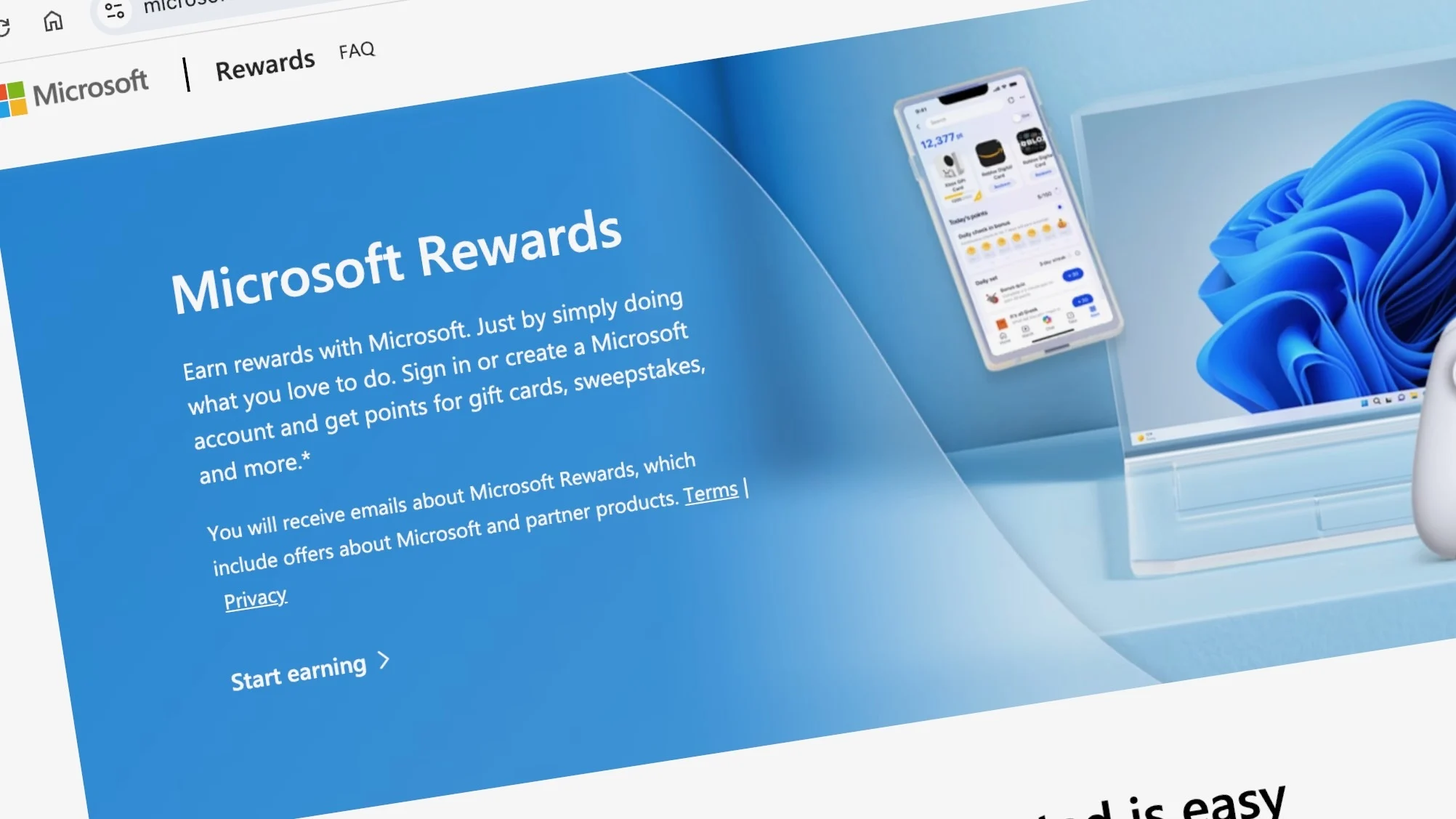
Navigate the Rewards catalog to find current prize listings and note entry costs in points. Use catalog filters and the search box to spot offers for the Microsoft Store, gift cards, and game items quickly.
Finding sweepstakes and redeeming entries
Compare the entry price against the value of gift cards before committing. If a prize is high value but costly, a gift card may give clearer immediate value.
- Check entry costs, then confirm the redemption posts in your account history.
- Redeem entries via the catalog page and verify they appear under recent activity.
- Spending points at checkout on console can work for eligible single-item purchases; subscriptions are excluded.
Timing entries and budgeting points
Build a monthly budget that preserves Level 2 status while leaving room for prize entries. Save when big offers appear, and enter when you have a healthy points buffer to avoid interruptions to other plans.
"Plan your time and points so you can chase prizes without derailing long-term goals."
Set Up Your Daily Earning Routine with Bing and Microsoft Edge
Make searching a simple habit by setting Edge as your default browser on PC and mobile. A few searches each day will add up and keep your rewards level moving forward.
Searching Bing in Microsoft Edge on PC and mobile to rack up points
Level 1 members can earn up to 3 points per day (about 90 per month) when searching Bing in Microsoft Edge on Windows devices or via Microsoft Edge mobile. Level 2 raises that cap to 12 points per day (around 360 per month).
Tip: Use quick morning and evening searching sessions to hit the daily cap without extra effort.
Level 1 vs. Level 2 daily caps and how to reach Level 2 each month
Keep your monthly target in mind: reach 500 points a month to stay at Level 2. Pace your searches so you collect the maximum points per day while still saving some points for redemptions.
- Make Microsoft Edge your default on PC and mobile to ensure searches are credited properly.
- Add the Bing Search app and Microsoft Edge mobile so you can earn points on the go.
- Combine Edge searches with other small tasks during the day to build a steady points balance.
"A few minutes of searching in Edge on Windows devices can reliably fuel your rewards budget."
Use the Windows Search Box and Mobile Apps to Earn Points Faster
A fast tap in the Windows search box can turn routine queries into steady points. This method gives quick access to Bing without opening a browser, so earning feels natural and low effort.
Starting your Bing search in the Windows Search Box
Type a query into the Windows search box each morning to trigger a qualifying Bing action. You do not need to open Edge to earn points.
Tip: Keep searches short and relevant. Small daily habits add up and protect your points balance.
Claiming daily mobile Rewards with the Bing Search app and Microsoft Edge mobile
Install the Bing Search app and set Microsoft Edge mobile as a backup so mobile queries are credited correctly. The app shows quick claim buttons and reminders to protect streaks.
- Start each day with the Windows search box to kick off a qualifying search.
- Pair desktop searches with Microsoft Edge on phone to keep earning consistently across devices.
- Use homescreen shortcuts and the Bing app to claim daily bonuses and watch your rewards points grow.
- Verify mobile searches are posting, so nothing slips from your points balance.
Leverage Xbox Game Pass to Earn More Entries
Use your Game Pass library to turn short play sessions into steady rewards. Open the Rewards hub on console, PC, or handheld to see daily, weekly, and monthly quests that match titles you already own.
Daily, weekly, and monthly quests on console, PC, and handhelds
Check the hub each day to claim quick tasks. Complete short objectives across devices to stack points fast.
Tip: Focus on quests tied to games you enjoy so earning feels natural, not like a chore.
Exclusive quests for Game Pass Ultimate and Premium members
Game Pass Ultimate and Premium subscribers get extra quest packs and special offers. These exclusives boost opportunities to earn points playing.
Keeping a streak: playtime, quest completion, and claiming points
Play a simple session, finish the quest, then claim the reward, so points posting is not missed. Streaks raise consistency and help protect your level progress each month.
- Open the Rewards hub to plan a short play schedule that fits your week.
- Choose Xbox game titles tied to active quests to maximize points playing.
- Note exclusions: some PC titles using third‑party launchers do not qualify.
- Use brief sessions on console, PC, or handhelds and funnel earned points into entries or other redemptions.
"Keep play simple and claim rewards daily to maintain progress toward higher levels."
Multiply Points with Microsoft Store Purchases
Pair a sale price with a points multiplier to maximize value when you expand your game library.
Rack up rewards points by buying games and game add-ons at the Microsoft Store during promotions. Game Pass Ultimate members can earn up to 4x points on eligible purchases, while Premium members receive 2x.
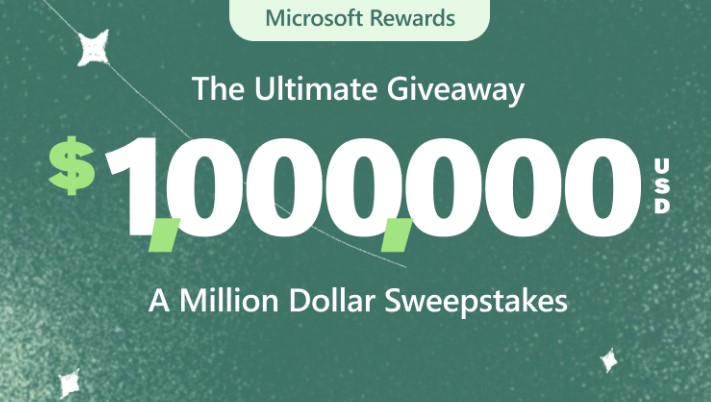
How tiers and multipliers stack
Use your rewards level to increase points per dollar. Staying at Level 2 amplifies returns and can add real value when combined with sale pricing.
Maximize value with Game Pass benefits.
Tip: Pass Ultimate perks can create up to 30% value on select Xbox Game Pass library titles. That comes from a mix of discount and points back—often 20% off, 10% back in points, plus multipliers tied to your level.
- Target Microsoft store deals that carry multipliers so you earn more points while saving cash.
- Watch how rewards points post in the hub to confirm purchase credits.
- Plan checkouts to match sweepstakes budgets; points can be spent at checkout on single-item buys (subscriptions excluded).
- Add titles to a wish list, watch prices, and pounce when pass multipliers and discounts align.
"Stack discounts with multipliers to turn routine purchases into steady rewards growth."
Track Offers and Points Balance in Real Time
Keep a live view of your balance and offers so you never miss a limited-time deal.
Install the official browser extension to surface daily content, trivia, and your current points at a glance. The extension keeps your dashboard one click away and highlights new claims.
See daily offers and your balance from the browser
Tip: Pin the extension in your toolbar so new offers pop up while you browse in Microsoft Edge. That helps you earn points without interrupting tasks.
Monitor quests and limited-time deals on Xbox.x
Visit your rewards Xbox hub to check daily, weekly, and monthly quests. Claim points after playing games so credits post correctly and your streaks stay intact.
- Add the extension to keep offers and points visible.
- Check the Xbox hub to confirm completion and claim rewards earned by playing games.
- Use Edge shortcuts to make earning points part of your normal browsing.
- Watch trends in your rewards points to plan redemptions or wait for bigger value.
- Track games, add-ons, promotions, and log completion dates so nothing slips away.
- Monitor your level so search caps and earn rates stay optimal.
"Review new game pass quests each morning, then confirm claims in the evening to keep momentum."
Redeem Points Smartly for Sweepstakes, Gift Cards, and Deals
A smart redemption plan helps you stretch rewards points toward both prizes and purchases. Decide when to chase a prize or lock in a known value from a card. Small choices each week shape bigger wins later.
When to pick sweepstakes entries versus Xbox Gift Cards
Sweepstakes offer excitement but no guarantee. Gift cards deliver a clear dollar value you can use on game purchases or add-ons.
- Choose cards when you have an upcoming purchase or a sale on games.
- Allocate a portion of points to sweepstakes each week if you want thrills.
- Track redemption windows: Xbox Gift Cards must be used within 90 days.
Using points at checkout in the Microsoft Store
You can apply points at console checkout for single-item purchases. Subscriptions are excluded, and a minimum purchase may apply.
- Confirm the final price after applying points before you complete the order.
- Plan redemptions around points per dollar promos and games add-ons sales to stretch value.
- Combine a small game pass purchase strategy with timed redemptions to keep entries flowing without overspending.
"Redeem, apply at checkout, and confirm the final price to avoid surprises."
Advanced Tips to Maximize Entries and Rewards Level
Build a simple daily rhythm that turns small tasks into a steady point s gain. Start with a short morning search, add one quick quest mid-day, and finish by claiming rewards in the hub each night.
Structuring your day: searches, quests, purchases, and claims
Map a flow: morning searches, a quick play session that targets high-value quests, then a fast claim check before bed. This keeps points posting and streaks intact.
Hitting 500 points monthly to maintain Level 2 benefits
Use a simple tracker to watch monthly totals. Aim for steady gains so you keep the rewards level and enjoy higher points per search and purchase.
Combining Ultimate’s 10% back with point multipliers
Game Pass Ultimate can return up to 10% on select library buys and up to 4x points on eligible store purchases. Time buys with multipliers to boost Microsoft rewards points value.
Avoiding inactivity so points don’t expire after 18 months
Tip: even tiny actions prevent expiration. Play one short game, run a search, or redeem a small card occasionally to keep your points and pass benefits active.
"Keep daily habits small and consistent to protect value and keep earning without stress."
- Track monthly progress to secure Level 2.
- Claim immediately after quests, so points play count.
- Balance purchases and entries by points per dollar.
- Pick one enjoyable game to keep the plan sustainable.
Important Terms, Limits, and Market Availability
Confirm eligibility before chasing quest points. All rewards members must be 18+ and located in a supported market to claim gameplay quests. Check your Xbox region settings to verify availability.
Gameplay rewards eligibility
Only accounts in approved markets can complete daily, weekly, and monthly quests. If your account region is unsupported, quest attempts will not post.
Note: PC titles that require third‑party launchers or Battle.net are excluded from gameplay rewards. Focus on eligible games to avoid wasted play time.
Annual earning limits and Ultimate changes
Game Pass Ultimate subscribers can now earn up to 100,000 points per year via gameplay, up from 58,000. Yearly redemption caps remain unchanged, so plan redemptions across the year.
Premium and pass ultimate tiers also affect points per dollar on Store purchases: Premium gets 2x, Ultimate gets 4x. That matters when you track earnings by month and year.
Guardrails to protect value
- Points expire after 18 months of no earning or redemption—act occasionally to keep the balance safe.
- Rewards level affects search caps and Store earnings; maintain monthly activity to keep higher rates.
- Balance gameplay with Store buys and searches to hit annual goals without hitting limits.
"Verify region and age eligibility before investing time in quests so your rewards post correctly."
Troubleshooting Common Roadblocks
When points fail to appear, a simple checklist often reveals the cause quickly. Follow these quick steps before contacting support to fix most issues yourself.
Why didn’t it post, and how to verify completion?
Check the Rewards hub: confirm the quest shows as completed, then manually claim it. Unclaimed tasks will not post.
Keep evidence: save receipts or screenshots of completions and redemption confirmations for reference.
Region, subscription, or account issues
Double‑check region settings and subscription status. Some offers require a pass tier, such as Game Pass or Premium, to unlock.
Ensure you signed in on the device where you did the task. A missed sign‑in stops tracking and prevents members from earning points by registering.
- Verify eligible methods (search in Edge) and eligible content—PC titles that need third‑party launchers are excluded.
- Confirm Microsoft Store item types: subscriptions are excluded from spend‑points checkout.
- Validate that the game's add-ons and the game you played are eligible for rewards credit.
"Use this friendly checklist before you escalate: completed, claimed, eligible, region ok, subscription ok, and account signed in."
Conclusion
This guide wraps up with a simple plan to turn daily actions into steady value. Use small, repeatable steps to grow your Microsoft Rewards balance and track progress in the Rewards hub or extension.
Keep using Game Pass and Xbox Game Pass quests to earn steadily. Combine searches, short play sessions, and store purchases so you hit the 500-point monthly target that preserves a higher level.
When deals match your wishlist, use Game Pass Ultimate and pass ultimate perks to multiply points and get points back. Mix gift cards and checkout redemptions when they save you money on the games and Xbox game items you plan to play.
Stay consistent, watch your balance, and pick easy ways to earn points daily so momentum—and entries—never stall.